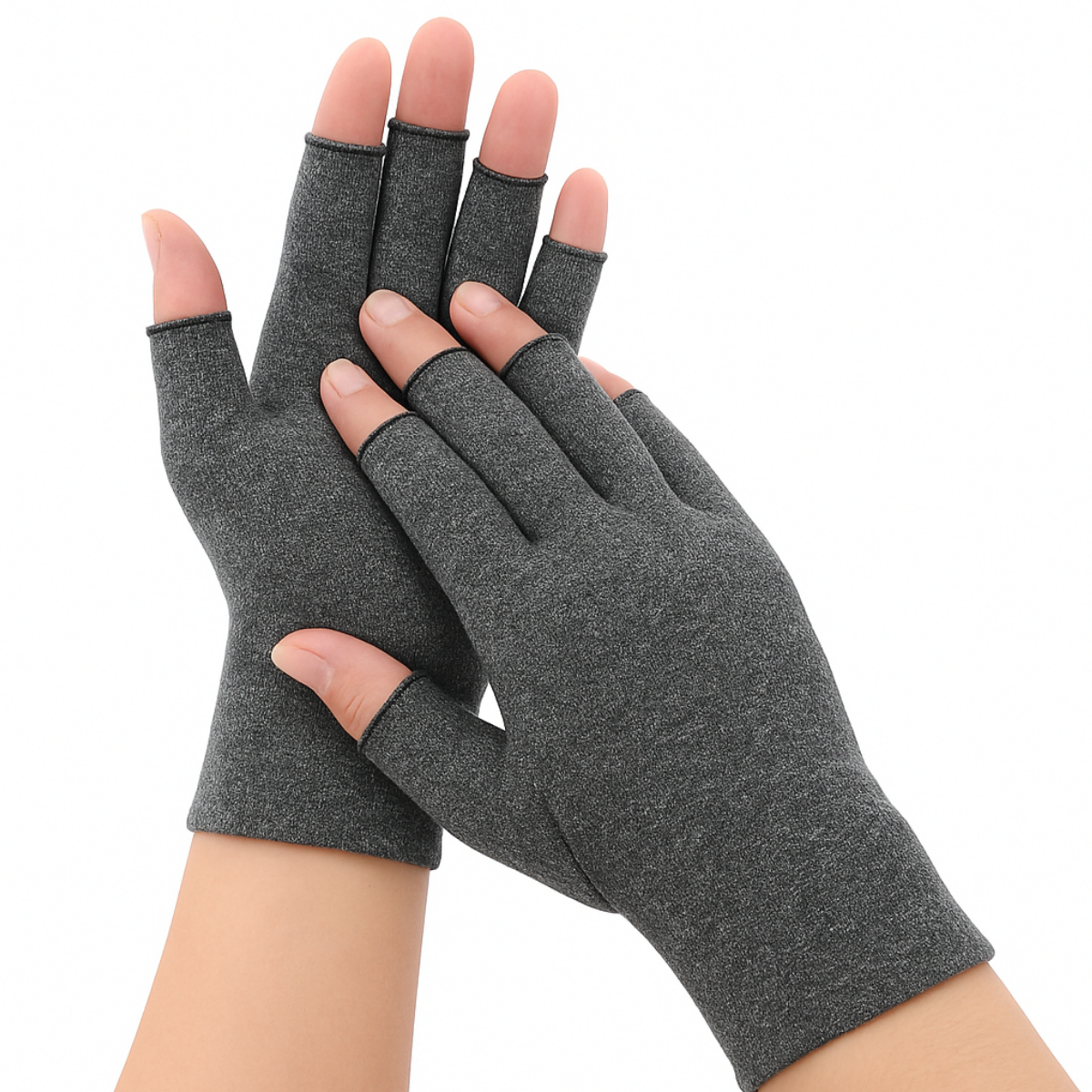
Computer Gloves for typing
$30.67
$41.71
When your hands ache from repeated tasksMany people first notice hand problems as a background ache rather than a single sharp injury. It might start as a dull pain across the backs of the hands after a long day at a keyboard, or a tired, heavy feeling in the fingers after spending hours using a mouse or trackpad. Some people feel stiffness across the knuckles when they finally stop for the day, or a throbbing sensation around the thumb and first two fingers after a lot of scrolling and clicking.For others, the main issue is fatigue. The fingers can seem clumsy or slow to respond, especially towards the end of a busy shift. Gripping everyday objects, such as a mug, a jar or a set of keys, can feel more effortful after many hours of typing or mouse use. The discomfort is often not sharp, but it can be irritating and wearing, particularly when it builds up day after day.When longer‑term joint changes are present, there may also be stiffness first thing in the morning or after a period of rest. The joints at the base of the fingers or thumb can feel tight and sore until they have been used for a while. Long periods of typing or gripping a mouse can then bring back a deep, aching sensation, sometimes with visible swelling around one or two joints. These problems are often linked to “wear and tear” type changes in the joints, explained in more detail in the arthritis overview below.Some people notice changes in sensation rather than pain. The fingers may buzz, tingle or feel slightly numb after holding one position for a long time, such as when the wrist rests on the edge of a desk while using a mouse. Others find their hands are very sensitive to cold, turning pale or red and becoming painful if the room is cool or there is a draught. Those cold‑sensitive issues are explored further in the circulation overview below.If that sounds familiar, it is very common in people who spend a lot of time at a keyboard or with a mouse. Over time, this mix of ache, stiffness, fatigue and odd sensations can slow you down at work and make longer computer sessions feel daunting. It is understandable to wonder what is actually happening inside your hands, and whether anything simple can help.What’s happening inside your hands when you use a computer a lotThe hand contains many small joints, muscles, tendons and supporting tissues in a relatively compact space. Each finger has several joints where the bones meet, and the thumb has an important joint at its base that allows you to pinch, grip and control fine movements. These joints are lined with smooth cartilage and fluid‑filled capsules, and are supported by ligaments and a joint lining (synovium). Together these normally allow comfortable, well‑coordinated movement.When you type, click a mouse or use similar devices for long periods, the same joints and soft tissues are asked to move through small ranges again and again. The tendons that bend and straighten the fingers (flexor and extensor tendons), and those that move the thumb, slide back and forth through narrow channels around the wrist and across the hand. The small muscles within the hand (intrinsic muscles) and the longer muscles in the forearm work at low levels for long stretches of time to keep your fingers ready to move and to maintain grip.Several common strains show up with computer‑based work:Fingers hovering over keys: keeping the fingers slightly lifted in readiness to type means the extensor muscles on the back of the forearm and hand are working continuously at a low level. Over time this steady background effort can lead to muscle fatigue and a sense of heaviness across the backs of the hands.Repeated key presses: tapping keys thousands of times a day sends small impact forces through the finger joints where the bones meet (the knuckles and middle finger joints). Each individual tap is minor, but together they can irritate the joint lining and surrounding capsule, especially if the tissues are already a little sensitive.Thumb on mouse or space bar: the thumb is often held slightly away from the hand and partly bent while resting on a mouse button or space bar. This position loads the joint at the base of the thumb and the tendons that control it. Holding this posture for long periods, or making many small, repeated movements, can irritate those structures.Wrist position on the desk: many people rest the heel of the hand or the wrist itself on the front edge of the desk or on a firm wrist rest. This can hold the wrist in a slightly bent position and concentrate pressure over a narrow area. The structures at the front of the wrist, including tendons and nerves, are then exposed to constant low‑level compression.In small amounts, these loads are usually handled without much trouble. Problems usually appear when you ask your hands to do a lot of this work, very often, without enough breaks or variety. Holding the wrist in one position, resting it on a hard edge, or hovering the fingers over the keys for long spells can increase pressure in certain areas. Over hours, this can irritate joint linings, tendons and surrounding soft tissue. You might not notice much at the start of the day, but by late afternoon the combination of small strains and slight swelling can make the hands feel sore, tight or heavy.Circulation also plays a part. The fingers and hands are supplied by small arteries and drained by small veins and lymphatic vessels – the tubes that carry blood and fluid in and out of the tissues. When you are sitting still at a desk, the muscles that usually help push blood and fluid back towards the heart are less active. In a cool room, the tiny arteries in the fingers can tighten to reduce heat loss. Together, reduced muscle activity and vessel tightening can mean less blood reaching some tissues and slower clearance of fluid, especially in people whose circulation is already sensitive. This can produce a mixture of aching, burning or cold pain, often in the fingers. Where there is mild swelling in the soft tissues from overuse, this can add to the sense of pressure or tightness in the hand.For some adults, these mechanical and circulation stresses sit on top of existing problems such as joint “wear and tear”, tendon irritation, nerve sensitivity or cold‑sensitive circulation. In those situations, the same repetitive tasks and positions can lead to stronger or more persistent symptoms. The condition overviews below explain these in more depth.None of this means keyboard or mouse use is bound to damage your hands, but it does mean that how forces are spread through the joints and soft tissues, and how well they recover between bouts of use, matters. If you regularly work through significant discomfort without adjusting position, varying tasks or allowing recovery time, the joints, tendons and soft tissues can become more “on edge”. Pain may appear more quickly, last longer, and be triggered by less activity than before.Understanding these effects helps explain why changing support, position and movement habits can make a real difference. NuovaHealth light compression computer typing gloves are one way of acting directly on these joint and soft‑tissue stresses and on the circulation changes described above during everyday tasks such as typing, mouse use and other detailed hand work.Why NuovaHealth computer typing gloves can help with computer‑related hand strainThese NuovaHealth computer typing gloves are designed to sit closely around the hand and fingers, providing a gentle, even pressure across the soft tissues and around the small joints. This changes how forces are distributed through the hand while you are typing, using a mouse, or performing other detailed tasks, and can influence how the tissues respond over the course of the day.One key effect is on circulation around the hand. Gentle external pressure helps support the return of blood and fluid from the small vessels and tissues in the hand back towards the heart. For many people, this reduces the sense of puffiness or heaviness that builds up after prolonged use. A close‑fitting fabric layer also tends to hold a small amount of warmth. For joints and soft tissues that are irritated or stiff, this warmth can make movement feel smoother and less uncomfortable, particularly when you start moving after being still.Another effect is on joint position. When you are typing or gripping a mouse without any support, some joints may repeatedly drift towards the end of their available range, particularly in the fingers and at the base of the thumb, or the wrist may rest in a bent position on the desk edge. Over time, those end‑range positions can increase strain on sensitive joint linings, ligaments and tendon attachments. These gloves do not lock the joints in place, but they do provide a consistent, elastic support around them. This can help keep the hand a little closer to the middle of its comfortable range during repeated movements and reduce how often the joints are pushed to extremes.The gloves also alter how pressure from surfaces is spread across the hand. Without any support, a single prominent knuckle or the base of the thumb can end up taking much of the force from the keyboard, mouse or desk edge. With this typing‑glove design, some of that contact is distributed through the fabric, so that no single joint bears all the pressure. For joints that are already tender or enlarged, this more even spread of pressure can make long sessions more tolerable.The way the gloves feel on your skin also matters. Having a consistent, gentle contact over the skin gives the brain more information about where the hand is and how it is moving. This extra feedback makes you more aware of how you are holding your hands and how much effort you are using. Many people find that this helps them notice when they are gripping too hard, tensing unnecessarily, or keeping the wrist in one fixed position. That awareness can lead to small, more frequent adjustments that reduce strain without needing to think about it all the time.The level of compression and the cut of these NuovaHealth typing gloves have been chosen to offer light support suitable for working at a keyboard or with a mouse, rather than heavy, restrictive bracing. The design has been shaped with input from health professionals experienced in computer‑related hand pain and from people who spend long hours at a desk, so the gloves feel supportive without getting in the way of typing or mouse control.For adults with established joint changes, overuse‑type hand pain or cold‑sensitive hands, these combined effects – warmth, more even pressure, support around joints and clearer awareness of hand position – can make repeated tasks feel more manageable. The gloves do not reverse joint, nerve or circulation problems, but they can reduce day‑to‑day irritation and help the hands cope better with necessary activities such as typing and mouse work. For those with more general fatigue or overuse‑type pain, the same mechanisms can reduce how quickly discomfort builds up and how long it lingers afterwards, provided sensible breaks and other adjustments are also used.These NuovaHealth computer typing gloves are one part of looking after your hands. They usually work best when you also pay attention to task variety, posture and, where appropriate, exercises for strength and movement. Because they act directly on the tissues and positions that are loaded during computer use, they can be a practical tool alongside those other measures.Could these gloves help with your hand symptoms?You may recognise some of the issues described above but still be unsure whether this type of glove is likely to be useful for you. People who consider NuovaHealth typing gloves tend to fall into a few broad groups. Some mainly notice general fatigue and aching after long periods of keyboard or mouse use. Others have been told they have “wear‑and‑tear” changes in the small joints of the hands, especially at the base of the thumb or in the finger joints, often from mid‑life onwards or after years of hand‑intensive work. Some experience tingling, numbness or weakness that fits with nerve irritation around the wrist. Others have tendons that feel sore, catch or sometimes “lock” a finger, or find their fingers react strongly to cold, with colour changes and pain. Some simply feel their hands are puffy and heavy by the end of the day.Each of these problems behaves differently, and the role of a light compression glove is not the same in every case. The sections below look in more depth at how these issues usually feel, what is happening in the tissues and joints, and where these typing gloves may help with comfort during everyday tasks such as typing and mouse use. They also outline important limits and situations where you should seek advice from a GP, physiotherapist or relevant specialist rather than relying on self‑management alone.You do not need a firm diagnosis to read these overviews, but if you already know that you have a particular condition, you can start with the section that matches that diagnosis. If you are unsure, you may find it helpful to skim more than one and see which description is closest to your own experience.Hand osteoarthritis and work that involves typing or mouse use Hand osteoarthritis is a very common cause of aching, stiff hands in adults, particularly from mid‑life onwards. If you notice that certain finger joints or the base of your thumb start to ache more and more as a day at the keyboard or with the mouse goes on, this type of pain may ring true. It often affects the small joints at the ends of the fingers, the middle finger joints, and the joint at the base of the thumb, which is heavily involved in gripping and fine control for typing, scrolling and using keyboard shortcuts. For many people, symptoms are most noticeable during or after tasks that involve repeated small movements or sustained gripping, such as typing, mouse use, using a trackpad, holding a pen, or doing craft or DIY work.A typical picture is a deep, dull ache in one or more finger joints or at the base of the thumb that seems to build as the day goes on. You may feel relatively comfortable first thing, apart from some morning stiffness that eases once you start moving. After several hours of keyboard or mouse work, those same joints can feel sore, hot or “full”, sometimes with visible swelling around them. The thumb joint at the base can be particularly troublesome when holding the mouse, scrolling, or using keyboard shortcuts that rely on the thumb.Over time, it is common to see or feel bony thickening around affected joints. The ends of the fingers can look knobbly, and the thumb base area may appear slightly enlarged. These changes reflect what is happening inside the joint. In osteoarthritis, the smooth cartilage that normally covers the ends of the bones becomes thinner and less even, and the joint lining can become more easily irritated. New bone may form around the joint margins (osteophytes), and the capsule and ligaments that support the joint can also be stretched or thickened.These structural changes do not necessarily mean your hands are “worn out”, but they do make joints more sensitive to the way they are loaded. When you type or use a mouse for long periods, the same joints are asked to move through similar ranges again and again. The small muscles in the hand and forearm work to control these movements, and the tendons repeatedly pull across joint surfaces that are less smooth than they once were. Each keypress or mouse click is small, but thousands over a day can irritate already sensitive joints, especially if the wrist is held in one position or the hand is resting on a hard edge.As the day goes on, joints that are already vulnerable can become achier and less willing to move. Many people with hand osteoarthritis report that their fingers or thumb feel tight, puffy or “thick” after a heavy day with the keyboard or mouse, and that rings may feel tighter in the evening. Cooler rooms can make this worse. Arthritic joints often feel stiffer and more painful when cold, and many offices or home working spaces are on the cooler side, especially in winter. It can feel as though your hands have done much more work than the rest of you.Hand osteoarthritis becomes more likely with age, a family history of osteoarthritis, past injuries to the hand, and years of hand‑intensive work or hobbies. It is a long‑term condition. Some people experience only mild, occasional symptoms. Others have more frequent or pronounced episodes of pain and stiffness. Repeated flare‑ups that are not managed can lead to joints becoming more easily irritated over time, with discomfort appearing more quickly and settling more slowly.NuovaHealth typing gloves can make sense as one part of managing hand osteoarthritis during computer‑based work. The gloves wrap around the small joints and soft tissues, providing a gentle, even pressure. This can help limit some of the build‑up of fluid in and around the joints over the course of the day, reducing the feeling of puffiness and fullness. Many people also find that the mild warmth retained by the fabric makes stiff joints feel easier to move, particularly when starting to type or when returning to the keyboard after a break.Because the gloves provide elastic support around the joints, they can also offer a degree of reassurance that takes the edge off certain movements. When typing or gripping a mouse, the joints are less exposed, and the soft tissues around them are held a little more securely. This does not immobilise the hand – you can still move and type – but it can reduce some of the small, sharp movements at the extremes of range that tend to be most irritating for arthritic joints. For example, the base of the thumb may feel more stable when gripping the mouse, and the ends of the fingers may feel less vulnerable when striking keys or pressing buttons.The way pressure is spread across the hand is also affected. Without any support, a single prominent knuckle or the thumb base can end up taking much of the force from the desk, mouse or keyboard edge. With these gloves, some of that contact is distributed through the fabric, so that no single joint bears the full brunt of a hard surface. For joints that are already enlarged or tender from osteoarthritis, this more even pressure can make long sessions noticeably more tolerable.There is also an effect on how you use your hands. With a glove in place, you are more aware of your hand position and the amount of tension you are holding. This can help you notice when you are gripping the mouse too hard, keeping the wrists in a fixed angle, or hovering the fingers in a way that is more tiring. Many people naturally start to make small adjustments – relaxing their grip slightly, changing wrist angle a little more often, or taking brief pauses to move the fingers fully – without having to think about it constantly. These small changes can reduce cumulative strain on arthritic joints over the course of the day.NuovaHealth typing gloves will not reverse cartilage thinning, remove bony enlargements, or cure osteoarthritis. They are best viewed as a comfort and support tool. For some adults, they can mean being able to work at the computer for longer before pain builds, or finding that end‑of‑day ache is less intense. For others, the main benefit is feeling less stiff when starting to type, or having fewer sharp twinges with certain mouse movements. The response is individual, and you may need to try them in different ways to see what suits you best.If you have hand osteoarthritis, it is also worth considering how the gloves fit into your overall way of looking after your hands. This may include exercises to maintain joint range and muscle strength, breaking up longer typing sessions so you are not at the keyboard for very long stretches without a change of task, and adjustments to your workstation or mouse and keyboard setup. Gloves can sit alongside these measures by making the joints more comfortable during the tasks you still need to do.There are situations where extra care is needed. If you notice sudden, marked swelling in a joint, a rapid change in shape, severe new pain, or the hand becoming very hot and red, it is sensible to seek advice from a GP or relevant specialist, particularly if you have not had that joint assessed before. If your pain is changing quickly, spreading, or associated with feeling unwell, that also needs prompt medical attention. If you already see a rheumatologist or hand specialist, it can be helpful to mention any supports you are using so they can be factored into your overall plan.For adults with hand osteoarthritis who spend significant time typing or using a mouse, NuovaHealth typing gloves can help by providing warmth, gentle support, and more even pressure around sensitive joints. They do not replace medical assessment or other treatments, but they can make day‑to‑day tasks more comfortable and reduce how quickly discomfort builds when your hands are working hard.Rheumatoid arthritis in the hands and keyboard or mouse work Rheumatoid arthritis is an inflammatory form of arthritis that often affects the small joints of the hands and wrists. Unlike simple “wear and tear”, it is driven by the immune system, and can cause pain, stiffness and swelling even when you have not been using your hands heavily. For people who spend a lot of time at a keyboard or with a mouse, the combination of ongoing inflammation and repeated small movements can make daily work particularly challenging.Many people experience aching, swelling, and stiffness in multiple finger joints and knuckles, often in both hands. The wrists are commonly affected too. Morning stiffness is usually pronounced, frequently lasting an hour or more before the joints begin to loosen. You might find that simple tasks—like buttoning a shirt, holding a mug, or typing—feel difficult until your hands have “warmed up.” Later in the day, repeated typing or mouse use can cause the ache and swelling to return, especially during a flare.Inside the joints, the lining tissue (synovium) becomes inflamed. This inflamed lining can thicken and produce extra joint fluid, leading to warmth, swelling and pain. Over time, if the inflammation is not controlled, it can gradually damage cartilage and bone and may affect the supporting ligaments. This is why rheumatoid arthritis is taken seriously from a medical point of view and usually managed by a rheumatology team. The main aim of medical treatment is to calm the inflammation in the joints and protect them in the longer term.When you use a keyboard or mouse for long periods with rheumatoid arthritis, you are repeatedly loading joints that are already inflamed. Each small movement of a finger joint or the wrist is happening through tissue that is more swollen and sensitive than usual. Pressing keys, resting the wrists on the desk edge, or gripping a mouse can all add to local pressure. Over the course of a working session, this can mean an increase in pain, a feeling of tightness around the joints, and visible swelling as fluid collects.For many people with rheumatoid arthritis, the pain is not the only problem. Fatigue can be a major factor, and hands can feel clumsy or weak when inflammation and tiredness combine. It may take longer to complete typing tasks, and accuracy can drop when joints are sore or you are subconsciously avoiding certain fingers. It is understandable to feel frustrated when your hands will not keep up with what you need to do.NuovaHealth typing gloves cannot treat the underlying immune process that drives rheumatoid arthritis, and they do not replace medicines or other treatments prescribed by your rheumatology team. They can, however, play a role in day‑to‑day comfort for some people, particularly during longer‑lasting, less intense phases of inflammation. By providing gentle, even pressure around the joints and soft tissues, the gloves can reduce the sense of puffiness and give a feeling of support to swollen joints. The mild warmth they hold around the hands can also make stiff joints feel easier to move, which can help with getting started on keyboard tasks or resuming after a break.During typing or mouse use, the gloves can offer a bit of extra protection against contact with hard surfaces such as the desk edge, keyboard frame or mouse casing. Instead of an inflamed knuckle or wrist crease pressing directly on these surfaces, the fabric takes some of the contact and spreads the force. This can make resting the hands between bursts of typing or using shortcut keys less uncomfortable. For some people, that small reduction in pressure across the day makes a noticeable difference to how the hands feel by the evening.There is also a practical benefit from the steady contact of the glove against the skin. It can make you more aware of how you are holding your hands and how much you are tensing them. Many people with rheumatoid arthritis naturally brace or guard their joints when they expect pain. With gloves on, you may notice when you are gripping the mouse more firmly than you need to, lifting the fingers higher than required over the keys, or keeping the wrists in an awkward angle. Small adjustments – relaxing the grip a little, resting the hands more fully between bursts of typing, or changing wrist position – can all reduce unnecessary strain on already inflamed joints.It is important, though, to keep expectations realistic. NuovaHealth typing gloves will not stop flares of rheumatoid arthritis, and they will not prevent joint damage if the underlying inflammation is not properly treated. Their role is to support comfort and function during everyday activities, not to replace medicines or medical advice. Some adults find that the gloves allow them to type or use a mouse for longer before pain builds, or that the end‑of‑day ache and stiffness are less intense. Others mainly value the sense of warmth and light support around their hands.If you suspect you may have rheumatoid arthritis – for example, if you have prolonged morning stiffness, swelling in several joints on both sides, or feel generally unwell along with hand and wrist pain – it is important to speak to a GP promptly. Early diagnosis and treatment can make a significant difference to longer‑term joint health. If you already see a rheumatologist or specialist nurse, it is sensible to mention any support devices you use, including compression gloves, so they can advise how these fit alongside your medical treatment and any splints or exercises you have been given.For people with established rheumatoid arthritis who are under appropriate medical care, NuovaHealth typing gloves can be a helpful addition for computer‑based work. They can improve comfort by offering warmth and gentle support, and by cushioning contact with hard surfaces while you type or use a mouse. They should be seen as a way of making daily tasks more manageable, not as a treatment for the disease itself.Carpal tunnel–type symptoms and keyboard or mouse work Carpal tunnel–type problems are a common reason for tingling, numbness and discomfort in the hand, particularly in adults who spend long periods using a keyboard, mouse or similar devices. The pattern is different from general aching across the whole hand or from pain focused in one or two finger joints. People often describe pins and needles, buzzing or numbness in the thumb, index, middle and sometimes part of the ring finger, while the little finger is often spared. Symptoms may be worse at night, when waking in the early hours, or when the wrist is held in a bent or extended position for some time.During a working day at a computer, these symptoms may appear or worsen when the wrist is resting on the edge of a desk, when leaning on the heel of the hand, or when holding a mouse or trackpad in a fixed position. You might notice that the hand feels clumsy, that it is easier to drop objects, or that fine control of the thumb is reduced. Some people feel an ache or pressure across the front of the wrist along with the tingling in the fingers. Shaking the hands out, changing wrist position or taking a short break can temporarily ease the sensations, but they may return with repeated use.These symptoms are often seen when the median nerve, which supplies sensation to the thumb, index, middle and part of the ring finger, is irritated or compressed as it passes through a narrow space at the front of the wrist known as the carpal tunnel. The tunnel is formed by the wrist bones and a strong band of tissue over the front of the wrist. Alongside the nerve, several tendons that bend the fingers and thumb also pass through this confined area.In healthy conditions, the nerve and tendons glide freely as you move your fingers and wrist. With repeated use, local swelling in the tendon coverings or surrounding tissues, changes in the ligament over the front of the wrist, or external pressure at the wrist can all reduce the effective space within this tunnel‑like region. When space is tight, the nerve can be squeezed, especially when the wrist is held in end‑range positions such as full flexion (bent forward) or extension (bent back). This nerve irritation gives rise to the tingling, numbness, electric shocks or burning sensations described earlier.Computer‑based work can aggravate this in several ways. When the keyboard or laptop is positioned so that the wrists are bent upwards or downwards, the tunnel region is under more strain each time you type. Resting the wrist or heel of the hand on the edge of the desk concentrates pressure over the front of the wrist, and holding a mouse or trackpad in one position for long stretches adds further load. If there is already some underlying swelling or narrowing in the carpal tunnel, even these modest but repeated pressures over a working day can be enough to trigger or worsen symptoms. Night‑time worsening is common because many people sleep with the wrists flexed, and fluid shifts when lying down can further reduce available space around the nerve.Carpal tunnel–type symptoms are more likely in people who have a combination of repetitive wrist use, certain medical conditions, pregnancy‑related swelling, or a family tendency to similar problems. These situations can influence fluid around the wrist and the tissues in the tunnel. If significant nerve compression is left untreated, there is a risk of longer‑term problems such as persistent numbness, weakness and wasting of the thumb muscles because the nerve fibres themselves can become damaged.NuovaHealth typing gloves are not a direct treatment for significant nerve compression, and they cannot open up the bony tunnel itself. For adults with carpal tunnel–type symptoms that have been assessed by a clinician, however, they can play a supporting role in making day‑to‑day computer work more manageable. The effects are about comfort, tissue behaviour and positioning rather than curing the underlying problem.The gentle, even pressure around the hand and wrist can help reduce mild swelling in the soft tissues that surround the nerve. By supporting the skin and superficial tissues, compression can assist venous and lymphatic return, reducing the feeling of puffiness or tightness that can add to nerve irritation. Many people notice that the wrist and hand feel less congested at the end of a long day when light compression is used sensibly.The material of the gloves also provides a consistent surface between your skin and the desk or mouse. Instead of the heel of the hand or the wrist crease pressing directly on a hard edge, the fabric helps distribute contact over a slightly wider area. This can reduce very localised pressure points at the front of the wrist, which otherwise can contribute to symptoms. It does not remove all pressure from the area, but even a small reduction in peak contact stress can be meaningful when repeated hour after hour.There is also an effect on wrist and hand position. The gloves do not act like rigid splints, so you can still move and type, but the mild resistance of the fabric can make extreme wrist positions less likely or less sustained. Combined with the increased awareness of how your wrist is resting, this can lead you to hold the hand in a more neutral alignment more of the time, reducing how often the nerve is stressed by full flexion or extension.Warmth from the gloves can also help surrounding muscles and tendons feel more comfortable. When the soft tissues around the nerve region are less stiff and irritable, there may be slightly less friction as tendons move, which can reduce the overall irritation within the tunnel‑like space.If you have carpal tunnel–type symptoms, especially if they are frequent, persistent or worsening, you should have them assessed by a GP or relevant specialist. In some cases, investigations, injections or surgery may be considered. NuovaHealth typing gloves should not be seen as a replacement for appropriate medical assessment or for treatments that directly address the nerve compression. They work best as an extra piece of support – something that can improve comfort and function in daily activities while you and your clinicians address the underlying problem.There are some clear warning signs that need prompt review. These include rapidly progressive numbness, marked weakness in thumb movements, loss of fine dexterity that is getting worse, or visible wasting of the muscles at the base of the thumb. Severe night pain that repeatedly wakes you and does not settle with simple measures also warrants attention. In such cases, relying on a glove alone is not appropriate, and early input from a clinician is recommended.For adults with milder or well‑monitored carpal tunnel–type symptoms, NuovaHealth typing gloves can provide additional comfort during keyboard and mouse work. By moderating local swelling, reducing concentrated pressure at the wrist, and gently encouraging more neutral hand positions, they can reduce the intensity or frequency of symptoms during the day. Combined with mixing keyboard work with other tasks, changes in how your workstation is set up, and any specific exercises or splints recommended by your clinician, they can be one component in your overall way of looking after your hands and wrists while you continue to work.Trigger finger and tendon irritation in the hand Trigger finger and related tendon irritation are common causes of painful, awkward finger movements in adults, especially in those who do a lot of gripping, typing or repeated finger actions. The problem feels quite different from a general ache across the whole hand or from pins and needles in the fingers. People often describe a finger that catches, clicks or locks when they try to bend or straighten it. Sometimes the finger suddenly releases with a small snap, which can be uncomfortable or briefly painful. The base of the affected finger or thumb can also feel tender, thickened or sore to touch.Symptoms may be mild at first, such as a sense of stiffness or slight catching when you first move the finger in the morning or when you start your first typing session of the day. As the day goes on and you use your hands for tasks such as typing long emails, frequent mouse clicks, gripping a cup, using tools or carrying bags, the catching or locking may become more frequent. Some people find that after several hours at the keyboard they have to use the other hand to straighten a finger that has become stuck in a bent position. The problem is often worse in one or two digits, commonly the ring finger, middle finger, or thumb.Inside the finger, the tendons that bend it run through a series of fibrous tunnels that hold them close to the bone. This arrangement allows you to flex your fingers powerfully without the tendons bowing out away from the finger. In trigger finger, the tendon or its surrounding sheath can become thickened or develop a small nodule, often after a period of increased or repetitive load. When this thicker portion of tendon tries to move through the tight tunnel, it can catch, creating the characteristic locking or clicking sensation.In addition to mechanical catching, there is often local inflammation around the tendon and its pulley. The area at the base of the finger in the palm may feel swollen, tender and warm. Repeated gripping, pressing keys, or using a mouse button can increase strain on this irritated segment, leading to more discomfort and more frequent triggering. The surrounding small muscles can also become tense as they try to protect the painful area, adding to the feeling that movement is awkward or effortful.Typing and mouse use can aggravate this for several reasons. Repeated pressing of keys or mouse buttons means the flexor tendons are sliding back and forth many times a day through the same narrowed area, especially if one finger is used heavily for shortcuts or the space bar. If your keyboard or mouse encourages a finger‑dominant style of control, a particular finger may do more than its share of the work, further loading an already irritated tendon. Holding the hand in one position for long periods can also allow mild swelling to build around the pulley, making the tunnel tighter.Trigger finger and related tendon problems are more likely in people who perform repetitive gripping tasks, those in middle age and beyond, and in some people with conditions such as diabetes or inflammatory joint disease. If the condition progresses, a finger can become fixed in a bent position, and the soft tissues can adapt to that posture, making it harder to regain normal movement even after treatment. This is one reason why early advice on load and hand use, and medical assessment where needed, are important.NuovaHealth typing gloves cannot remove a nodule on a tendon or widen a tight pulley. They do not unlock a stuck finger by themselves. Those changes, when significant, may need assessment by a GP or specialist and, in some cases, targeted treatments. For many adults with milder or moderate tendon irritation and triggering, especially when they are still working at a computer or doing manual tasks, the gloves can play a real role in making day‑to‑day use more comfortable.By providing gentle, even pressure along the finger and across the palm, these gloves can reduce low‑grade swelling around the irritated tendon and pulley. This may lessen the feeling of fullness and tenderness at the base of the finger and can make the tissues more tolerant of repeated movement. The warmth retained by the fabric can also help the tendon and surrounding tissues move more smoothly, which some people find reduces the sharpness of pain with the first few movements of the day or after a rest.The gloves offer a degree of support to the soft tissues of the finger and hand. Although they do not immobilise the joints, the light resistance of the material can encourage smoother, more controlled bending and straightening rather than sudden, forceful grips. During typing or mouse use, this can translate into a more balanced sharing of effort across the hand, with slightly less load falling on the most affected finger. Some people notice that they naturally start to use other fingers a little more, or they reduce the force with which they press keys or buttons, when wearing the gloves.There is also a sensory aspect. With a glove in place, you receive constant feedback about where your fingers are and how tense they feel. This can help you notice when you are holding a finger in a bent position for too long, keeping the hand clenched unnecessarily, or pressing harder than you need to. Small, frequent adjustments in how you position and move your fingers can reduce cumulative strain on a trigger‑prone tendon over the course of a working day.For some adults, the main benefit of NuovaHealth typing gloves in this context is reducing background soreness and stiffness so that triggering events feel less intense and less frequent. For others, they simply make it more comfortable to get through necessary tasks while they work with a clinician on specific treatment plans. In a few very mild or early cases, where the overall load on the tendon is also reduced, these comfort‑based changes can help symptoms feel calmer, but many people will still need medical input over time.There are clear situations where relying on a glove alone is not appropriate. If one or more fingers are locking frequently and require manual straightening, if a finger sometimes becomes fixed in a bent position and will not release, or if pain is severe and steadily worsening, you should seek assessment from a GP or relevant specialist. Sudden onset of marked swelling, heat, redness, or pain in a finger, especially if you feel unwell, may suggest infection or another problem that needs urgent medical input rather than simple compression.If you have already seen a clinician and been advised on exercises, splints, injections or surgery, a glove may still be used alongside those treatments, but it is sensible to mention it at your appointments. Your clinician can then advise how best to fit it into your overall management plan. For example, they may suggest using the glove during specific tasks that are known to flare your symptoms, or advise against compressing the area too firmly immediately after certain procedures.Trigger finger and tendon irritation create a specific pattern of catching, locking and local tenderness in the hand. For adults who are still using their hands extensively for typing, mouse work or other detailed tasks, NuovaHealth typing gloves can help by reducing local swelling, improving warmth and comfort, and gently influencing how the fingers move and share load. They are not a cure for tendon nodules or pulley narrowing, but they can form a useful part of your overall way of keeping hand use as comfortable and functional as possible.Cold-sensitive hands, Raynaud’s-type changes, and chilblains Some adults find that their hands are far more sensitive to cold than other people’s, and that even modest drops in temperature or draughts around the desk can cause significant discomfort. This can make computer‑based work, particularly in cool offices or home rooms, much harder to tolerate. The symptoms often show up in two main ways: Raynaud’s‑type colour changes and chilblain‑type reactions.In Raynaud’s‑type changes, the small arteries in the fingers over‑react to cold or stress and tighten more than usual. A typical episode may start with one or more fingers turning very pale or white when exposed to cold air, touching cold objects, or moving between temperature extremes. The fingers can feel numb, dead or difficult to control. As blood flow returns, the fingers may turn blue and then red, often with throbbing, tingling or burning pain. Episodes can last minutes to longer, and may be triggered by something as simple as sitting near a draughty window, working in a chilly room, or handling cold objects before returning to the keyboard.Chilblain‑type problems relate to how the small vessels and skin respond to cold and re‑warming. People notice painful, itchy or burning red‑purple patches on the fingers, backs of the hands or toes after exposure to cold, damp conditions. The affected areas can be tender, and the skin may swell slightly. Symptoms are often worse a few hours after coming back into a warmer room, rather than at the very moment of cold exposure. For someone who uses a keyboard or mouse regularly, these sore, sensitive areas can make key presses or mouse clicks uncomfortable.Both Raynaud’s‑type and chilblain‑type symptoms affect function in ways that go beyond temperature discomfort. During typing or mouse use in a cool room, cold‑induced numbness can make it harder to feel the keys accurately or to control the mouse with precision. Painful, burning fingers can make even light contact with a keyboard, trackpad or mouse housing feel unpleasant. Many people end up tensing their hands or altering their grip to avoid painful areas on particular fingers while they type, which can increase overall fatigue and strain across the hand. It is not just “cold hands” – it can feel as though your fingers never really settle while you are trying to work.These problems are more likely in some people, for example those with a family tendency to cold‑sensitive circulation, or those who smoke. In some adults, Raynaud’s‑type changes happen on their own and are called “primary” Raynaud’s. In others, similar symptoms can be part of a wider condition such as certain autoimmune or connective tissue diseases. This is sometimes called “secondary” Raynaud’s. While many mild cases are mainly a nuisance, more severe or complicated problems can lead to persistent skin changes, ulcers or infection if not managed carefully, and may need specialist input.NuovaHealth typing gloves do not cure Raynaud’s phenomenon or prevent all chilblains. They cannot change how your blood vessels fundamentally respond to cold. They can, however, help manage some of the day‑to‑day consequences during tasks such as typing and mouse use. Their main roles in this context are to provide a protective barrier against cold air and surfaces, to support steadier warmth around the hand, and to cushion irritated skin and soft tissue.By covering the hand and fingers, the gloves reduce direct exposure of the skin to cool office air and desk‑level draughts. Even a thin layer of fabric can slow down how quickly your skin temperature drops when you are sitting still at a keyboard or mouse. This more gradual cooling can make Raynaud’s‑type episodes less easily triggered for some people, or reduce their intensity. The gloves also help retain some of the heat generated by your own tissues, which many people find makes finger stiffness and pain more manageable when working in a cool room.Gentle compression around the hand and fingers can also support circulation a little. By lightly squeezing the soft tissues, the gloves can assist the return of blood and fluid from the hand back towards the heart once the small arteries relax and allow more blood in again. This does not stop a severe spasm in the blood vessels, but it may help reduce the feeling of puffiness and heaviness that can accompany repeated cold episodes or chilblain‑type inflammation. Some adults find that their hands feel less swollen and more comfortable when using light compression during prolonged sitting or desk work.For those with chilblain‑type lesions, the gloves provide a buffer between sore, inflamed skin and hard surfaces such as keyboards, mouse housings or desk edges. Instead of the lesion itself taking the full force of each key press or contact with the desk, the fabric absorbs and spreads some of that pressure. This can make routine typing and mouse movement less painful, and reduce the temptation to adopt awkward grips or postures that avoid specific fingers but overload others.If you are noticing colour changes in your fingers for the first time, or if episodes are becoming more frequent, more painful, or are affecting areas such as the thumbs or whole hands, it is sensible to discuss this with a GP. They can assess whether your symptoms are likely to be a primary Raynaud’s‑type change, or whether blood tests and further checks are needed to look for an underlying condition such as a connective tissue disease. Early assessment is particularly important if you have other features such as joint pains elsewhere, rashes, marked tiredness or weight loss.If you have very severe or rapidly worsening Raynaud’s‑type symptoms, ulcers, skin breakdown, or signs of more serious circulation problems, a glove is not a substitute for medical assessment. Warning signs include persistent colour changes that do not resolve with gentle warming, non‑healing sores, marked pain at rest, or any signs of infection such as spreading redness, heat or fever. In such situations, prompt review by a GP or specialist is important.Similarly, if chilblain‑type lesions are extensive, blistering, or repeatedly breaking down, you should seek advice. Compression directly over fragile or broken skin may not be appropriate without guidance. A clinician can help determine whether and how to use protective coverings or compression safely in your specific case, and what other measures are needed to protect the skin and improve circulation.For many adults with milder to moderate cold‑sensitive problems, particularly those who spend long hours at a keyboard or mouse in cool rooms, NuovaHealth typing gloves can be a helpful part of looking after their hands. Alongside measures such as keeping the room comfortably warm, avoiding direct draughts, taking regular movement breaks, and following any medical advice about other treatments, the gloves can provide warmth, cushioning and a small boost to circulation. Together, these steps can make it easier to work with your hands for longer periods with less discomfort, while still paying careful attention to any changes that might need professional input.Swelling and puffiness in the hands during desk and computer work (oedema-type problems) Some adults find that, by the end of a working day at a desk, their hands feel puffy, heavy or tight, even if the pain is not severe. Rings or watch straps may feel noticeably tighter in the evening than they did in the morning. The skin on the backs of the hands can look slightly shiny or stretched, and pressing gently on the skin may leave a small dent that takes a moment to fade. These are typical signs of extra fluid sitting in the soft tissues under the skin. Doctors would call this mild oedema.If you spend long periods typing or using a mouse, you may notice that this swelling is worse on days when you have been at the computer for hours with few breaks, and better on days when you are on your feet more, moving around or using your arms in different ways. Some people describe their hands as feeling “thick” or “full” by late afternoon, even if the joints themselves are not very painful. The main problem is a sense of tightness, heaviness and reduced ease of movement, rather than sharp or localised joint pain. It can be very tiring to work through that heavy, tight feeling in your hands.In simple terms, oedema in the hands means that more fluid than usual is sitting in the soft tissue under the skin. The soft tissues of the hand include small blood vessels, lymphatic vessels and loose connective tissue that can hold extra fluid. Normally, fluid that leaks out of the smallest blood vessels into the tissues is carried away again by the veins and the lymphatic system. This flow relies partly on pressure differences in the vessels and partly on regular movement of the muscles to help push fluid upwards towards the heart.Desk‑based computer work can make this balance more difficult. When you sit for long periods with your hands down at desk level, and your arms and shoulders move very little, there is less “muscle pump” helping to push fluid out of the hand. If the room is cool, the small arteries may tighten, and veins may not drain as freely. Keeping the hands still on the desk, or resting the wrists and forearms in one position, means that fluid can gradually accumulate in the soft tissues. Over the course of a working day, this can lead to the feeling of swelling, puffiness and heaviness that many people notice.Some people are more prone to these problems than others. Mild hand swelling towards the end of the day is more likely if you spend many hours sitting with your hands down at desk level, have slightly reduced circulation or lymphatic function (for example, with increasing age), have had previous injuries or surgery to the arm or hand, or have other medical conditions that affect how your body handles fluid.Occasional, mild swelling that clearly settles overnight or after a more active day is often related to this sort of positional and activity pattern. However, new, severe, or rapidly worsening swelling in one or both hands, especially if it is marked or comes on over a short period, can be related to more serious heart, kidney, circulation or lymphatic problems. If your hands or other parts of your body are becoming swollen for no clear reason, or if swelling is accompanied by breathlessness, chest discomfort or feeling generally unwell, it is important to speak to a GP promptly rather than trying to manage it with a glove alone.NuovaHealth typing gloves can be helpful if your hands feel puffy and heavy after long spells at a desk. By providing gentle, even pressure around the hand and fingers, they support the small veins and lymphatic vessels as they work to move fluid out of the tissues. Instead of fluid being free to collect and “sag” into the soft spaces of the hand, it is held more evenly and encouraged to move back up the arm. For many people, this reduces the sense of fullness and heaviness that builds up during a long spell at the keyboard or with the mouse.Because the gloves sit closely around the hand, they can also make it more comfortable to move the fingers and wrist regularly. The mild warmth and support can encourage you to make small movements, such as gently opening and closing the hand or rolling the wrist between tasks. These simple movements help the muscle pump in the forearm and hand, which in turn helps move some of that fluid back up the arm. Over the course of the day, this combination of compression and movement can lessen how swollen the hands feel.During typing or mouse use, the gloves may also make it easier to tolerate resting the hands briefly on the desk or wrist rest, as the fabric spreads contact pressure over a slightly larger area. Instead of the soft tissues pressing directly onto a hard surface, the glove takes some of that contact. This does not change the fact that long periods of stillness can encourage swelling, but it can make short rests less uncomfortable when the hands are already feeling puffy.NuovaHealth typing gloves can help with comfort and a sense of reduced puffiness in mild, day‑to‑day desk‑related hand swelling. They do not treat underlying heart, kidney or circulation diseases, and they should not be used as a substitute for medical assessment if you have significant or unexplained oedema. For many adults whose main complaint is that their hands feel puffy and heavy after long spells at a keyboard or mouse, using the gloves alongside regular movement breaks, changes in hand position and any advice from a clinician about fluid‑related conditions can make the hands feel less congested and easier to use as the day goes on.General overuse and repetitive strain in the hands Many adults develop hand discomfort that is clearly linked to how much and how often they use their hands, without fitting neatly into a single diagnosis such as osteoarthritis, carpal tunnel syndrome or trigger finger. This is often described as general overuse or repetitive strain. The main features are aching, tiredness and sometimes mild burning or throbbing in the hands, wrists or forearms that build up with activity and ease with rest, rather than sharp, localised pain in one specific spot.If you spend long periods at a computer typing and using a mouse or trackpad, you may notice that your hands and forearms feel fine at the start of the day, but gradually become heavier, more uncomfortable and less coordinated as the hours go by. The discomfort is often spread across several areas: the backs of the hands, the finger bases, the thumb region and sometimes the muscles on the front or back of the forearm. You may feel that your grip is less secure by the end of a busy day, or that your fingers are less precise when you try to type quickly.People with this kind of overuse problem often find that symptoms ease overnight or after a period away from the tasks that provoke them, only to reappear when they return to similar work. Over a working week, there may be a sense that the hands and forearms never quite recover fully before they are asked to do the same jobs again. Busy periods with more keyboard or mouse time, tight deadlines, or extra manual work can lead to noticeable flare‑ups, while quieter periods may feel more manageable.The reasons usually come back to the joint and soft‑tissue changes described earlier: repeated small‑range movements, low‑level muscle activity held for long periods, static postures and mild soft‑tissue swelling. There may not be a single identifiable structure at fault, but the overall balance between work and recovery is not ideal. Posture and technique can also add to the problem, especially if the workstation encourages reaching for the mouse, resting the wrists on a hard edge, or using more force than needed on the keys.These problems are particularly common in people whose work involves many hours of keyboard and mouse use, and in those who combine computer work with other hand‑intensive tasks. If they are ignored for long periods, the hands can become more easily irritated, with discomfort appearing more quickly and taking longer to settle, and there is a greater chance that more specific issues such as tendon or joint irritation will emerge.NuovaHealth typing gloves can help with general overuse and repetitive strain mainly by improving comfort, supporting circulation and subtly changing how load is distributed through the hand and fingers. The gentle pressure around the soft tissues can assist with venous and lymphatic return, helping to clear some of the fluid and metabolic by‑products that accumulate with prolonged use. This may reduce the feeling of fullness or heaviness in the hands towards the end of a working session.The warmth retained by the gloves can make muscles and tendons feel more supple. Slightly warmer tissues often move more freely and may feel less stiff when you first start typing or when you resume after a break. For some people, this reduces the sense that the hands “seize up” when returning to the keyboard after a period away.Support from the glove fabric also helps moderate how forces are transmitted through the hand. Instead of individual tendons and small muscles taking all the strain alone, there is a small amount of external support holding the hand together as you work. This does not stop movement, but it can reduce some of the sharp peaks of tension that occur with sudden, forceful actions. When combined with an awareness of posture and technique, this can lower the overall stress on irritated tissues.The sensory feedback from the gloves is also important. Because you can feel the fabric around your hand and fingers, you are more aware of when you are gripping too tightly, holding a fixed posture, or hovering your fingers above the keys in a way that increases effort. Many people find that, quite naturally, they begin to relax their grip on the mouse, rest their hands more fully between bursts of typing, or change position more often. These small behaviour changes can, over time, reduce the overall strain on the hands and forearms.NuovaHealth typing gloves are one part of managing general overuse or repetitive strain. Adjusting your workstation, ensuring your mouse and keyboard are positioned comfortably, taking regular short breaks, and varying your tasks can all make a significant difference. Gentle movement or strengthening exercises for the hands, wrists and forearms may also be helpful, ideally with guidance from a physiotherapist or other relevant clinician if symptoms are persistent.If your pain is severe, rapidly worsening, associated with marked weakness or loss of coordination, or accompanied by other concerning symptoms such as spreading numbness, significant swelling, redness or heat, it is important not to rely on self‑management alone. These may be signs of a more specific condition that requires medical assessment. A clinician can help determine whether your symptoms fit a simple overuse problem or whether further investigation is needed.For many adults whose main issue is that their hands and forearms feel as though they have “done too much” by the end of the day, NuovaHealth typing gloves can make work more manageable. By improving comfort, supporting circulation, spreading load and gently prompting healthier movement habits, they can reduce how quickly discomfort builds and how long it lingers after you have finished using your hands.How NuovaHealth typing gloves feel to wear (design and materials)Light, breathable compression fabricNuovaHealth computer typing gloves are made from a soft, skin‑friendly blend designed to provide light, even compression without feeling bulky. The fabric has enough stretch to sit closely around the hand and fingers, giving the gentle “hug” that supports circulation and soft tissues, while still allowing full movement for typing, mouse use and other fine tasks. The material is breathable so that heat and moisture can escape, helping to keep the hands comfortable during longer periods of wear.In practice, the gloves should feel snug rather than tight, offering steady pressure without cutting into the skin. The fibres help draw moisture away from the surface of the skin, so that sweat is less likely to build up in warm conditions or during more demanding tasks. For many people, this balance of light compression, softness and breathability makes it easier to wear the gloves for longer spells without irritation.Cut and freedom of movement for typing and fine tasksThe gloves are shaped to follow the natural contours of the hand, with seams positioned to minimise rubbing across sensitive areas such as the knuckles and the base of the thumb. The design allows the fingers to bend and straighten freely so you can type, click a mouse, hold a pen or carry out other precise tasks without feeling restricted. The compression is spread across the hand and fingers so that support is provided without creating stiff points that could interfere with keyboard control or grip.The way the thumb and base of the fingers are covered is intended to keep the glove in place while still letting you move as you need to for everyday work. Once you are used to them, most people find the gloves feel more like a supportive layer than something they constantly notice. This is particularly important if you spend long periods at a computer or move between different hand‑based activities through the day.Finding the right size and level of compressionNuovaHealth typing gloves are available in three main sizes: Small (13–17cm), Medium (17–20cm) and Large (20–24cm). To find your size, measure around the widest part of your hand, usually across the knuckles, excluding the thumb. This measurement gives a guide to which size is likely to provide a snug but comfortable fit. A good fit is important. If a glove is too loose, you will not get the steady compression that supports circulation and joint comfort; if too tight, it may feel uncomfortable and could affect sensation.Hand shapes vary. People with longer, slimmer hands may prefer a different size from those with shorter, broader hands, even if their measurements are similar. When first trying the gloves, it can be helpful to put them on for shorter periods to check how they feel. The material should sit smoothly against the skin without obvious bunching or pinching. You should be able to move your fingers and wrist through your normal range for typing and other tasks. If you notice areas where the fabric digs in, or if the glove leaves deep marks that do not fade shortly after removal, a different size or a brief adjustment to how you pull the glove on may be needed.Using NuovaHealth typing gloves day to day (how to wear and what to expect)When to wear the glovesMost adults who use NuovaHealth typing gloves find them helpful during periods when their hands are working hardest. This often includes long stretches of keyboard or mouse use, extended writing, or detailed manual tasks such as craft work, sewing or light assembly. You may choose to put the gloves on at the start of a working session, or when you notice that your hands are beginning to ache or feel heavy.Some people prefer to wear the gloves mainly during the tasks that they know tend to provoke their symptoms, such as long bouts of typing or specific repetitive work. Others find benefit from wearing them for parts of the day when their hands are prone to stiffness, such as first thing in the morning if they start work early at a desk. The gloves are designed for everyday tasks, not for heavy manual handling, situations where you need maximum bare‑hand grip, or activities where any extra layer on the hands would be unsafe.Building up wear time safelyIf you have not worn compression gloves before, it is usually sensible to build up wear time gradually. You might start with an hour or two during your main hand‑intensive task, then see how your hands feel when you remove them. If the gloves feel comfortable and you notice less ache or stiffness, you can extend use to longer periods, always allowing the skin and tissues some time without compression during the day.Pay attention to how your hands respond. Light marks on the skin that fade soon after removing the glove are usually not a concern, but any persistent deep marks, numbness, unusual tingling or change in skin colour should prompt you to adjust fit, reduce wear time or pause use and seek advice if needed. The aim is steady, gentle support, not strong compression. Over the first few weeks, it is worth stepping back and asking whether the gloves are making a difference for you, and adjusting your use accordingly.What to pay attention to as you try themIn the first days and weeks of use, it can be helpful to notice a few specific things:How your hands feel at the start and end of a work session with the gloves compared with without themWhether your sense of stiffness or “seizing up” after rest is reducedWhether you can work for longer before discomfort buildsWhether end‑of‑day swelling or puffiness feels less pronouncedYou may also notice changes in how you use your hands. Some adults find they automatically relax their grip on the mouse, rest their hands more fully between bursts of typing, or change wrist position more often. These are positive signs that you are responding to the feedback the glove gives you. It is still important to take regular short breaks, change tasks periodically where possible, and follow any specific exercise or posture advice you have been given.If, after a reasonable trial period, you do not notice any meaningful change in comfort or function, it may be that this particular type of support is not adding much for your symptoms, and it would be sensible to discuss other options with a clinician.Alongside other strategies for looking after your handsNuovaHealth typing gloves are one part of managing hand discomfort and strain. They usually work best when you also make simple adjustments elsewhere, such as checking that your keyboard and mouse are positioned at a comfortable height and distance, avoiding resting the wrist on a hard edge for long periods, and breaking up longer typing spells with short pauses to rest your hands or switch to a different type of task.If you have been given specific exercises for your hands, wrists or forearms by a physiotherapist or other clinician, continuing these alongside glove use can help maintain strength and movement. The gloves can make it more comfortable to perform your daily activities, but they do not replace the benefits of movement and targeted exercise where these are advised.Washing the gloves regularly with a gentle detergent helps keep the fabric fresh and reduces the chance of skin irritation, especially if you wear them for several hours at a time.Safety, when to seek help, and important informationMost adults can use NuovaHealth typing gloves safely, but there are important situations where caution or advice is needed.If you notice any of the following, you should stop using the gloves and seek advice from a GP, physiotherapist or relevant specialist:Sudden, severe pain in the hand or wrist after an accident or fallObvious deformity, very rapid swelling, or inability to move the fingers or wristNew, marked colour changes in the hand or fingers that do not resolve with gentle warming and restSpreading redness, heat and pain in the hand, especially if you feel unwell or feverishSwelling in the hands can also be a warning sign in some situations. Mild puffiness that clearly builds up over a working day and settles overnight is often linked to how the hands are positioned and used, as described above. However, new, unexplained, or rapidly worsening swelling in one or both hands, especially if it is marked or comes on over a short period, can be related to more serious heart, kidney, circulation or lymphatic problems. If your hands or other parts of your body are becoming swollen for no clear reason, or if swelling is accompanied by breathlessness, chest discomfort or feeling generally unwell, it is important to speak to a GP promptly rather than trying to manage it with a glove alone.If you have a known diagnosis that affects circulation to your hands, significant nerve damage, severe joint disease, or if you have been advised to avoid compression in the limbs for any reason, it is important to discuss the use of compression gloves with your clinician before starting. In some situations, light compression may still be appropriate, but the level of pressure and duration of wear may need to be adjusted, or certain areas avoided.If you already have open wounds, fragile skin, ulcers or severe chilblain‑type lesions on your hands, wearing a compression glove directly over these areas may not be suitable without medical guidance. Covering the skin appropriately or delaying compression until healing has progressed may be recommended.If you experience nerve‑type symptoms such as tingling, numbness or weakness, or circulation‑type symptoms such as marked colour changes and cold‑induced pain, and these are getting worse over time, it is important to have them assessed rather than assuming that a glove alone will be enough. The condition overviews above explain some of the reasons why getting things checked early can matter.Some types of joint pain in the hand, such as a sudden, very severe attack in a finger or knuckle that becomes hot, red and extremely tender, can be due to conditions like gout or other acute inflammatory problems. In these situations, medicines and medical assessment are the priority. A compression glove is unlikely to be helpful during a severe flare and may make the joint more uncomfortable if it is very hot and painful. If you recognise this sort of sudden, intense attack, it is important to seek advice from a GP rather than trying to manage it with a glove alone.These gloves are designed for adults. If you are pregnant and have concerns about swelling, circulation or hand symptoms, it is best to seek advice from a midwife or GP before introducing any new compression garment, so that your overall circulation and any pregnancy‑specific factors can be taken into account.This page offers general information about hand symptoms and the possible role of NuovaHealth typing gloves. It is not a substitute for personal medical advice, diagnosis or treatment. Only a doctor, physiotherapist or other appropriate health professional who has assessed you can advise on what is right for your individual situation.If you have severe pain, symptoms that are getting worse, changing quickly or spreading, marked weakness, major colour changes, signs of infection, sudden or severe swelling, or any other worrying signs, you should seek medical advice promptly. Do not delay seeing a clinician because of anything you have read here.NuovaHealth typing gloves are intended to support comfort and day‑to‑day function in adults. They are not designed to treat or cure underlying joint, nerve, circulation or systemic health problems, and no specific results can be guaranteed. Everyone responds a little differently. If you are unsure whether light compression is suitable for you – for example, because of circulation, skin or other health concerns – please speak to a GP, physiotherapist or other relevant professional before using them.Deciding whether to try these typing glovesWorking at a computer for long periods places a lot of demand on the hands and wrists. Hours of typing, mouse use and other fine tasks load the small joints, tendons and soft tissues in ways that can gradually lead to aching, stiffness, tiredness and, in some people, nerve or circulation‑related symptoms. The way you hold your fingers over the keys, rest your wrists on the desk and grip the mouse all affects how those structures are stressed. If there are already changes inside the joints or soft tissues – such as “wear and tear” in the joints, inflammatory arthritis, tendon irritation, nerve sensitivity, cold‑sensitive circulation, swelling or general overuse – these everyday loads can feel even more uncomfortable.NuovaHealth computer typing gloves are designed to modify some of these stresses. By providing gentle, even pressure and holding a little warmth around the hand, they can ease feelings of puffiness and stiffness. By supporting the hands in slightly more central positions and cushioning contact with hard edges, they can reduce key pressure points at the wrist, thumb and knuckles. And by making you more aware of how you are holding and using your hands, they can help you make small changes in posture and effort that, over time, reduce strain.Whether these gloves are appropriate for you depends on how your symptoms behave and what is driving them. The overviews above set out how the main problems described on this page usually feel, why they behave that way, and where NuovaHealth typing gloves may or may not help. If you recognise your own symptoms in those descriptions and have no specific reason to avoid light compression, it is often worth trying the gloves for a few weeks alongside other measures such as mixing keyboard work with other tasks, checking your desk set‑up, and, where appropriate, following exercise advice.A practical way to do this is to wear the gloves during the periods of the day when your hands typically struggle most – for example, longer typing sessions or extended mouse use – and to see after a few weeks whether you notice a real difference in comfort or how long you can work before discomfort builds. The NuovaHealth 30‑day money‑back guarantee is there so you can judge this particular typing‑glove design in your own working day without feeling tied to the purchase.If your symptoms are severe, changing quickly, or associated with worrying signs such as marked weakness, major colour changes, open sores, signs of infection or unexplained swelling, seeking advice from a GP, physiotherapist or relevant specialist should take priority over self‑management. If you are already under the care of a clinician for your hand or wrist problems, it is worth discussing whether this sort of glove could fit alongside the other treatments and advice you have been given.For many adults with longer‑standing aches, stiffness, fatigue or milder nerve‑, circulation‑ or swelling‑related symptoms in the hands, NuovaHealth computer typing gloves can be a useful part of an overall way of keeping daily tasks more comfortable and helping the hands cope better with the demands of computer‑based work.
Typing Gloves